Case study
Configuration profile generator
Every vehicle we equip is a little different. Displays, audio, modem, console and signage change from project to project, and the software has to match that exact mix. I built an internal web tool where the team describes the vehicle once and gets a profile ready to install, instead of editing config files by hand.

The setup
There's no single onboard configuration. The same platform goes into vehicles with different displays, audio, modems, driver consoles, signage and inputs. The software baseline can change too.
Before this tool, each vehicle's config was put together by hand from information spread all over the place. Now it goes into one place, and the tool builds a profile that matches the equipment actually installed.
The problem
Config knowledge tends to end up in spreadsheets, chat messages and the head of whoever did the last install. Fine, until someone new has to repeat it, a vehicle comes back for changes, or two projects drift apart and nobody wrote down why.
So the tool had to describe the project and its equipment, then turn that into something the install process could use as is, with nobody reinterpreting it.
If the next person can't rebuild it, the config isn't worth much.
How I built it
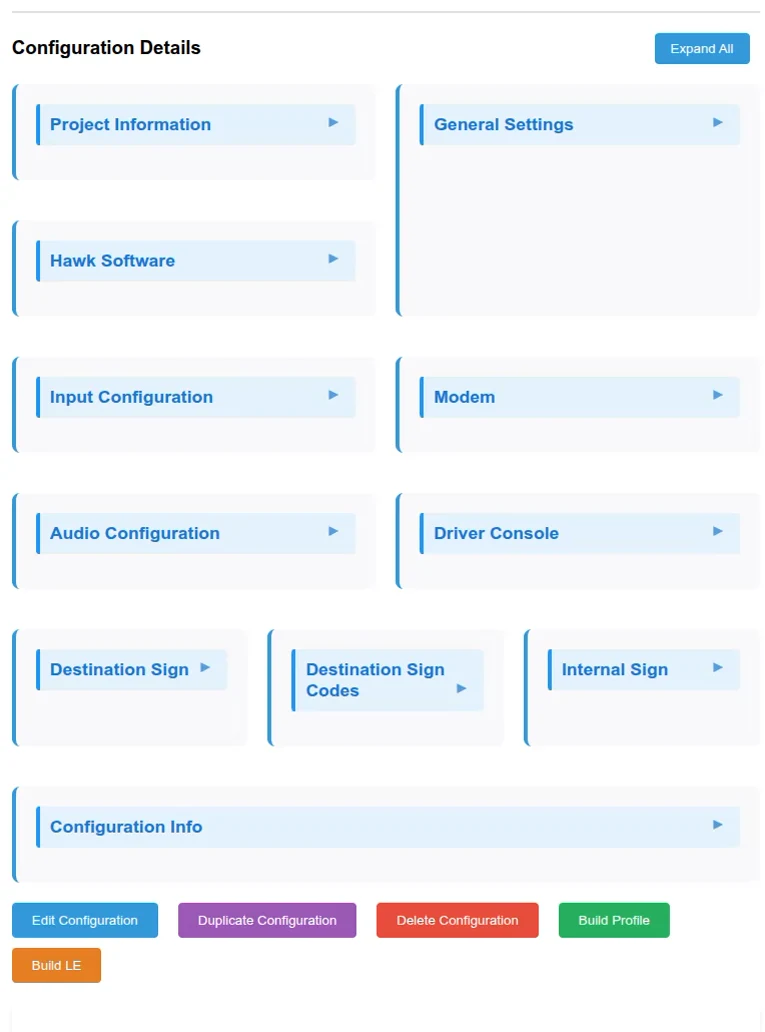
I built the tool around a project record. Each project has its own name, state, platform type, operating system and software baseline. Then you fill in the equipment section by section: onboard software, inputs, modem, audio, driver console and signage.
The sections follow the way the onboard system actually goes together. Someone who knows the hardware finds their way around fast, and the build step always gets data in the same shape.
What I built
- A project model with name, platform, operating system and SDK version.
- Equipment sections for software, inputs, modem, audio, driver console and signage.
- A build step that turns the record into a downloadable profile.
- Build progress, status and logs on screen.
- An interface built for the team to use again and again.
Design choices
Structure first
Generating a file is the easy part. What matters is that the inputs are explicit and consistent, so the same record always gives you the same file.
Match the hardware
The form sections follow the equipment areas engineers already think in. Nobody has to translate what they know into the tool's vocabulary.
Show the build
A build can finish or fail. The tool shows progress and logs, so nobody has to guess which one happened.
Keep customer data out
The screenshots on this page show the tool's structure with every value removed. No customer's install is visible.
The workflow
Project
Capture the project, platform, operating system and software baseline.
Equipment
Choose displays, audio, modem, console, signage and input options.
Profile
Generate a configuration artifact from the structured data.
Vehicle
Download the profile and deploy it to the target hardware.
The interface

The result
Provisioning errors on new projects dropped to near zero. One record now tells you what's in the vehicle, what software it runs and how its profile was built.
It's also a full-stack job in a small package. A form people can actually use, a data model that copes with real variation, and a build that has to work on someone else's machine.